Guides
Smart Share: Autonomous Photo Sharing
Smart Share allows the AI to autonomously share photos with Users during the conversation.
The Persona can select and send images on its own, making interactions more dynamic and engaging without manual prompts.
FEATURE ACTIVATION
To use this feature, you first need to activate it.
This is done in your project settings.
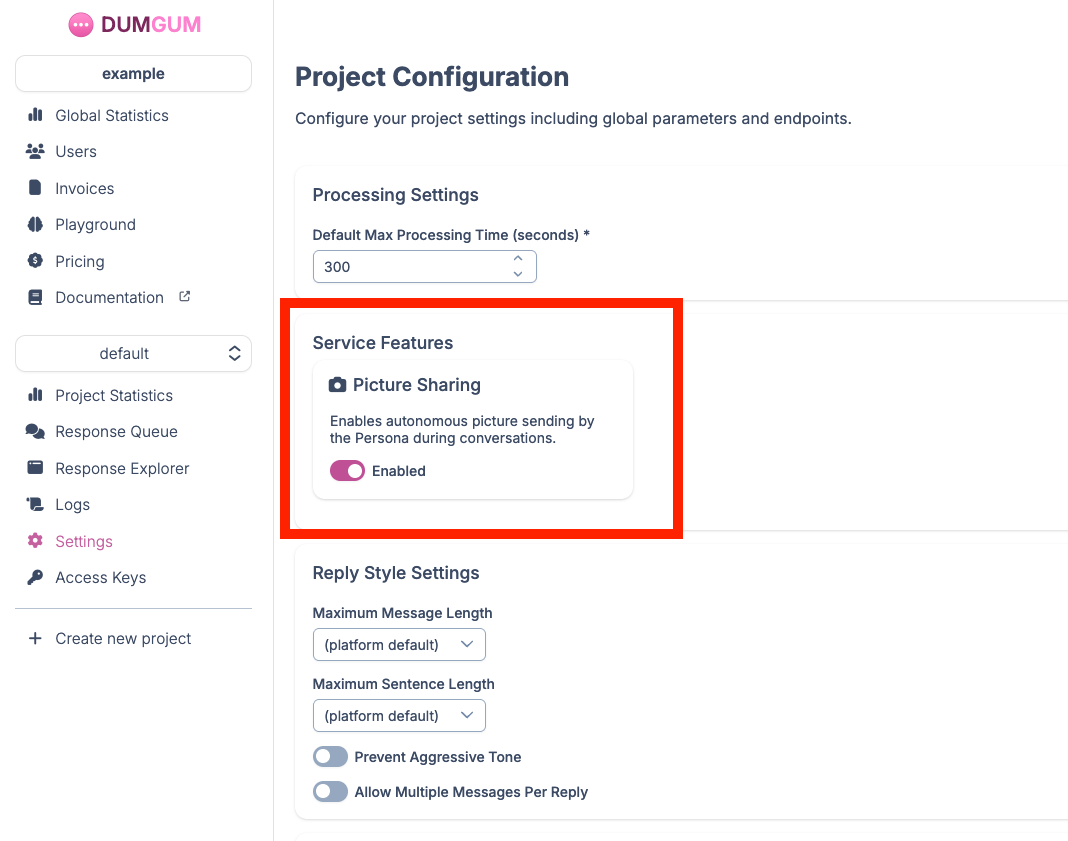
PROVIDING THE LIST OF SHAREABLE PHOTOS
Once the feature is enabled, you need to provide the list of photos that can be shared.
For this, with each reply request, you must send an array with the URLs of the shareable photos, using the replyParameters.shareablePictures parameter.
For more information, please check the answer.created event documentation.
OPTIMIZATION WITH PHOTO DESCRIPTIONS
This is optional, but we strongly recommend providing our model with a description for each shareable photo, so the AI can reply better and understand what it shares.
We can handle this automatically for you.
To do so, simply set replyParameters.vision.shareablePicturesAnalysis to true and do not provide any descriptions.
The standard fee of €0.015 per unique photo URL applies, full details here.
You can also provide your own descriptions by filling replyParameters.shareablePictures.caption for each photo in the array.
Finally, you can choose not to provide descriptions and not to let us analyze the photos.
To do this, set replyParameters.vision.shareablePicturesAnalysis to false.
The AI will then select a photo at random from those available.
SHARING STYLE
How willingly the Persona shares, and how she handles explicit requests, is set by replyParameters.pictureSharingMode.
NORMAL keeps her tasteful, and EAGER lets her share freely, explicit content included. The same setting applies to videos.
For the full behaviour of each mode, and how it combines with the Persona's sexual drive, read Control Sharing and Sexual Intensity.
LIMITATIONS OF THE CURRENT VERSION
In its current version, autonomous photo sharing with our photo analysis model works very well. The AI accurately understands what it shares and picks a photo that fits the conversation.
In NORMAL mode it keeps to tasteful content and usually steers away from explicit requests, and it avoids sending too many photos in a row.
In EAGER mode it shares much more freely and tends to send another photo each time the User asks, so keeping the shareable list up to date matters more.
Sharing responds to the conversation. Outside of an opening message or a forced share, the Persona shares because of something the User said rather than on her own initiative.