Guides
Core Guardian
DumGum's built-in safety system that monitors every conversation and automatically handles unwanted behavior.
A great AI Persona lives or dies by consistency. The moment it breaks character, gets manipulated, or starts responding like a bot or to bad actors, the experience falls apart. Core Guardian runs silently in the background to prevent exactly that, keeping the Persona focused, in character, and engaging with real Users who are genuinely there for the experience.
Default vs. Custom Settings
Every project ships with Default Settings: Core Guardian's essential protections are active from day one, no setup required.
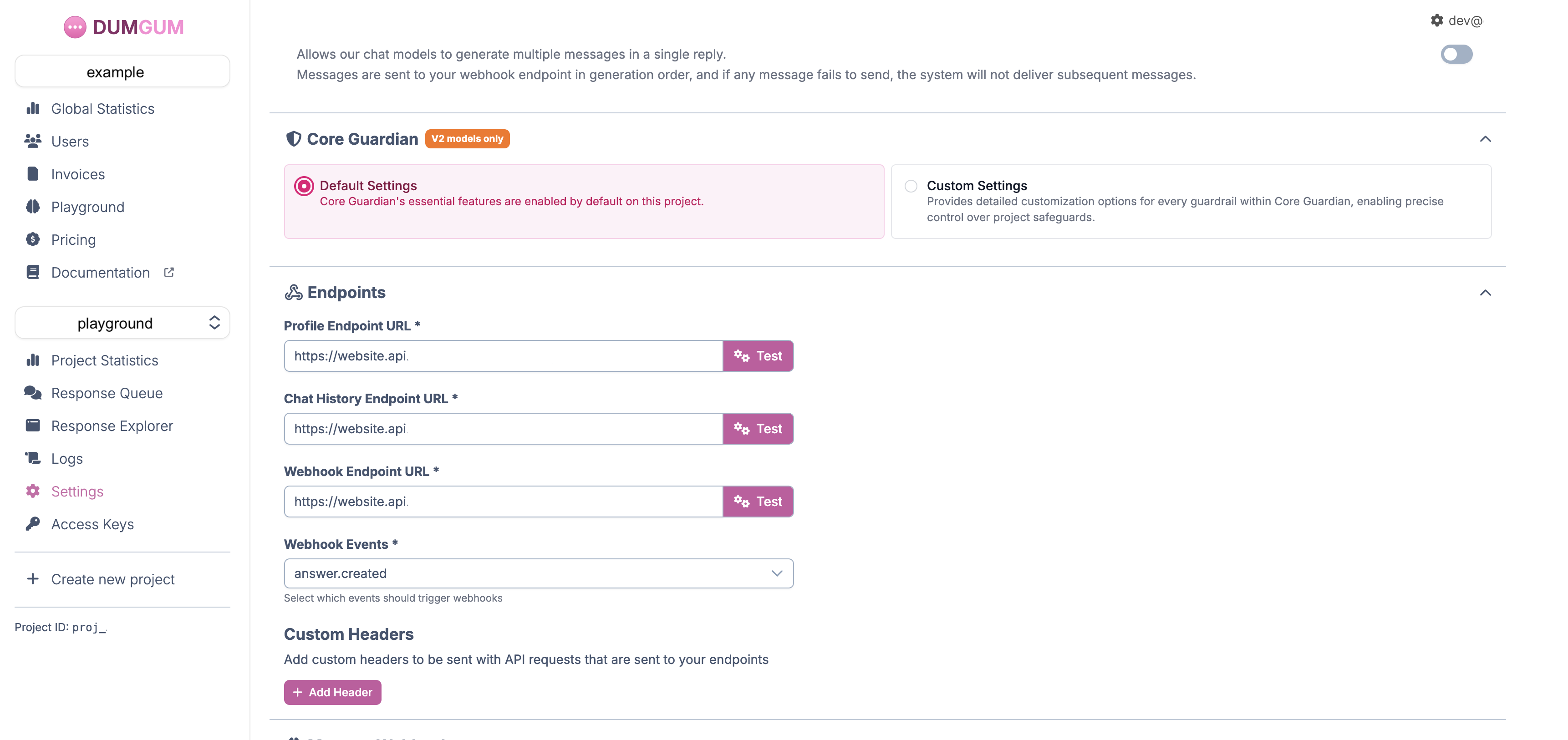
If you need finer control, switch to Custom Settings. This unlocks individual toggles for each guardrail so you can enable or disable them per project.
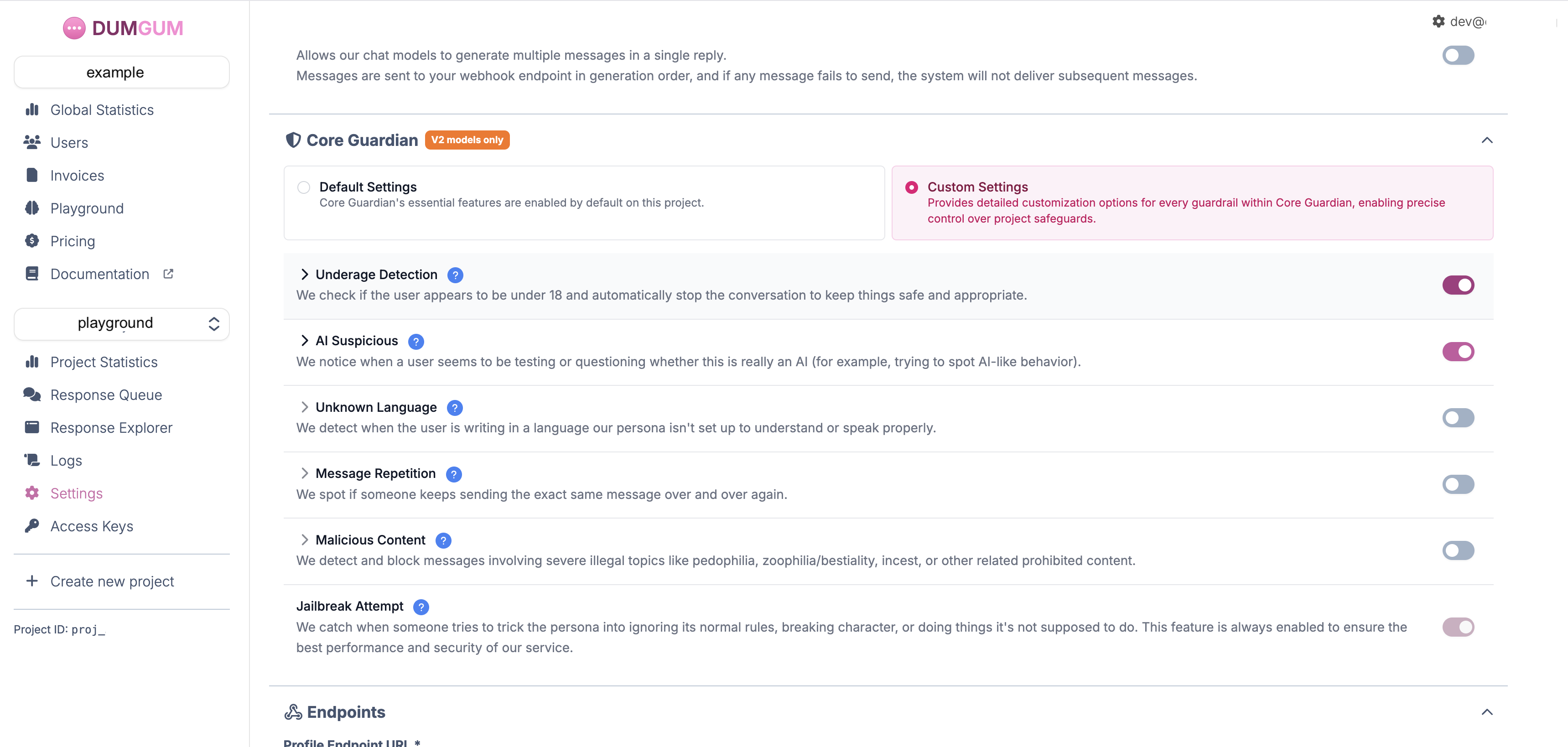
Guardrails
Underage Detection
Checks whether the User appears to be under 18 based on their messages. If confirmed, the conversation is permanently stopped and the Persona tells the User to leave.
When the messages are only ambiguous about age, nothing is stopped: the Persona asks the User to confirm their age, keeping the current tone of the conversation. No stop reason is returned in this case, so expect the Persona to raise the subject on its own with no signal on your side.
Enabled by default.
AI Suspicious
Detects when a User is probing whether the Persona is an AI through direct or indirect questions that don't fit the flow of a normal conversation.
Enabled by default.
Unknown Language
Fires when the User writes in a language the Persona isn't set up to speak. The Persona signals it doesn't understand, and if the User keeps going, the conversation is stopped.
Enabled by default.
Message Repetition
Spots Users who keep sending the exact same short message over and over. A common pattern for testing whether the Persona gives scripted responses. The Persona calls it out, and repeat offenders receive a temporary ban.
Enabled by default.
Malicious Content
Detects sexual content in the User's messages aimed at one of three forbidden targets: minors, animals, or the User's close relatives. General adult sexual content is never flagged — only content that sexualizes one of those targets.
Unlike the other guardrails, a single detection is enough: the ban applies immediately, with no warning first.
Disabled by default.
Jailbreak Attempt
Catches attempts to override the Persona's instructions or break its character. This guardrail is always on and cannot be disabled. It's what keeps all your other Persona settings intact.
On a first attempt the Persona pushes back while staying in character. If the User keeps trying, the conversation is stopped with the USER_SUSPICIOUS reason and the User is banned for a progressive duration. These durations are the platform defaults and cannot be customised for this guardrail.
Configuring Guardrails
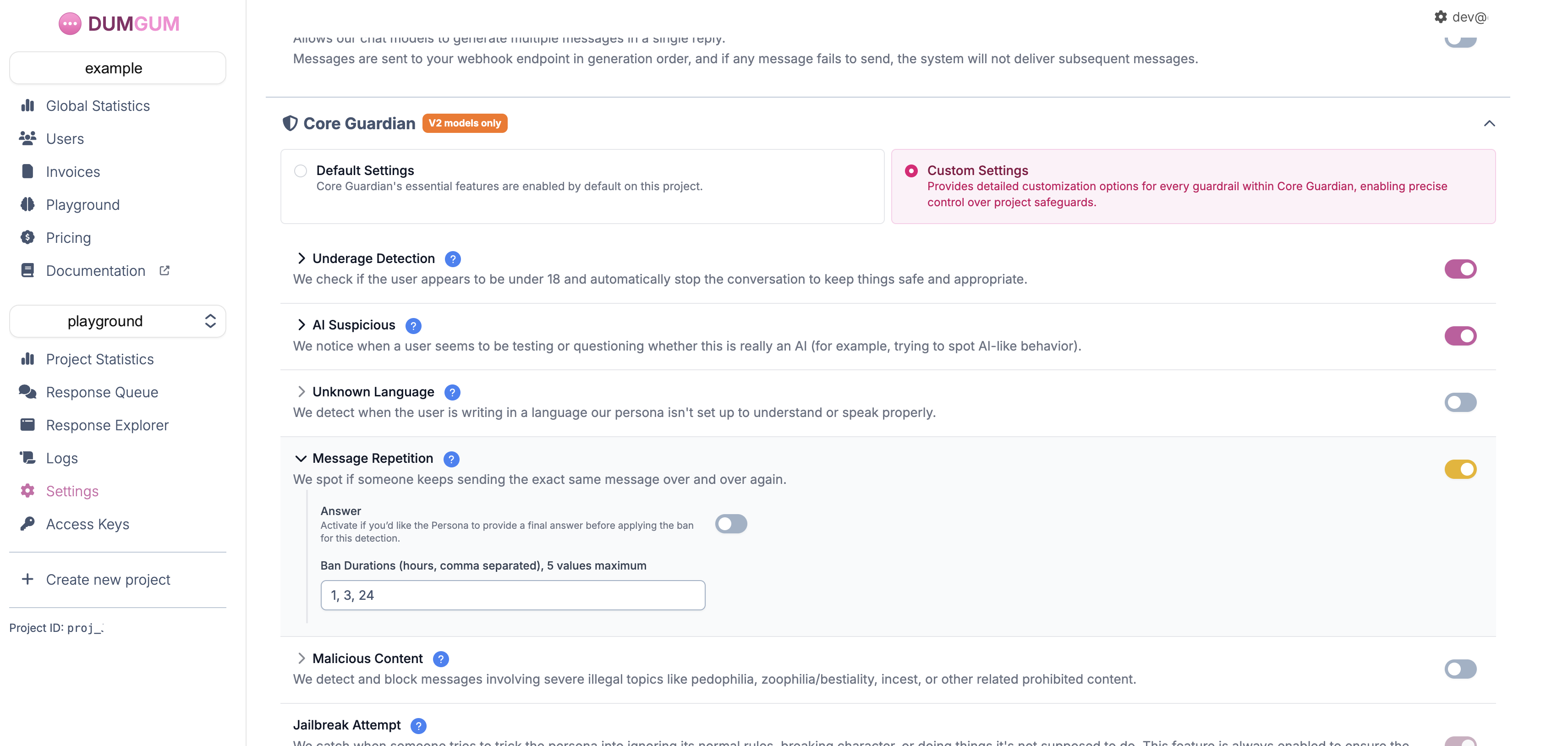
With Custom Settings, you're in full control. Each guardrail can be switched on or off independently with its toggle. We added even more granularity so you can fine-tune exactly what happens when a detection fires. For instance, you may decide whether the Persona should send a final reply before the ban kicks in (Answer) and how long each ban should last (Ban Durations: you can set up to five escalating durations in hours, e.g. 1, 3, 24 — the API itself takes these durations in seconds).
The toggle color tells you its current state at a glance:
- Grey: deactivated
- Pink: fully activated
- Yellow: active with custom configuration (sub-options have been adjusted)
Advanced Configuration
For API-level control over guardrails, including disabling safety features programmatically, see the API reference.